Create Stunning Images with AI — Even If You’re Just Starting
Learn Nano Banana 2, Higgsfield, and the latest AI image tools with simple step-by-step guidance. No tech jargon. Just clear, friendly lessons you can follow in minutes.
Limited-time launch offer: Save 30% on your first month of AI Imaging Lab when you join today.
Perfect for photographers, small business owners, and creators who want scroll-stopping visuals without hiring a designer.
Featured AI Tools
Learn the Tools Pros Use — One Simple Lesson at a Time
From ad-ready visuals to cinematic scenes, we walk you through exactly how to get the results you want in each tool.
Nano Banana 2
Turn simple ideas into polished ad creatives and posters tailored to your brand.
Higgsfield
Create cinematic images and short video loops that feel straight out of a film studio.
Midjourney
Craft artistic, stylized visuals that stand out in feeds and portfolios.
DALL·E
Generate clear, on-brand images from everyday language in seconds.
Leonardo AI
Design product shots, game assets, and detailed concepts with ease.
Adobe Firefly
Blend AI magic into Photoshop and Illustrator for pro-level edits.
Runway ML
Edit videos, remove objects, and generate scenes with AI-first workflows.
Canva & Playground
Design scroll-ready graphics with Canva AI, Stable Diffusion, and Playground AI.
How It Works
From First Prompt to Finished Image in Under an Hour
We break AI imaging down into short, beginner-friendly steps you can follow at your own pace.
1. Choose your AI tool
Tell us what you want to create and we’ll recommend the best AI tool with a guided lesson.
2. Use simple prompts
Copy-paste our beginner-friendly prompt templates and tweak a few words to fit your idea.
3. Generate your image
Click generate and watch your idea turn into a real, usable image in seconds.
4. Enhance & edit
Learn quick fixes for lighting, text, and cropping so your image is ready to post or print.
Real Examples, Real Results
See how everyday creators turn rough ideas into scroll-stopping images for real estate, social media, ads, and art.
New examples and tutorials added every week.
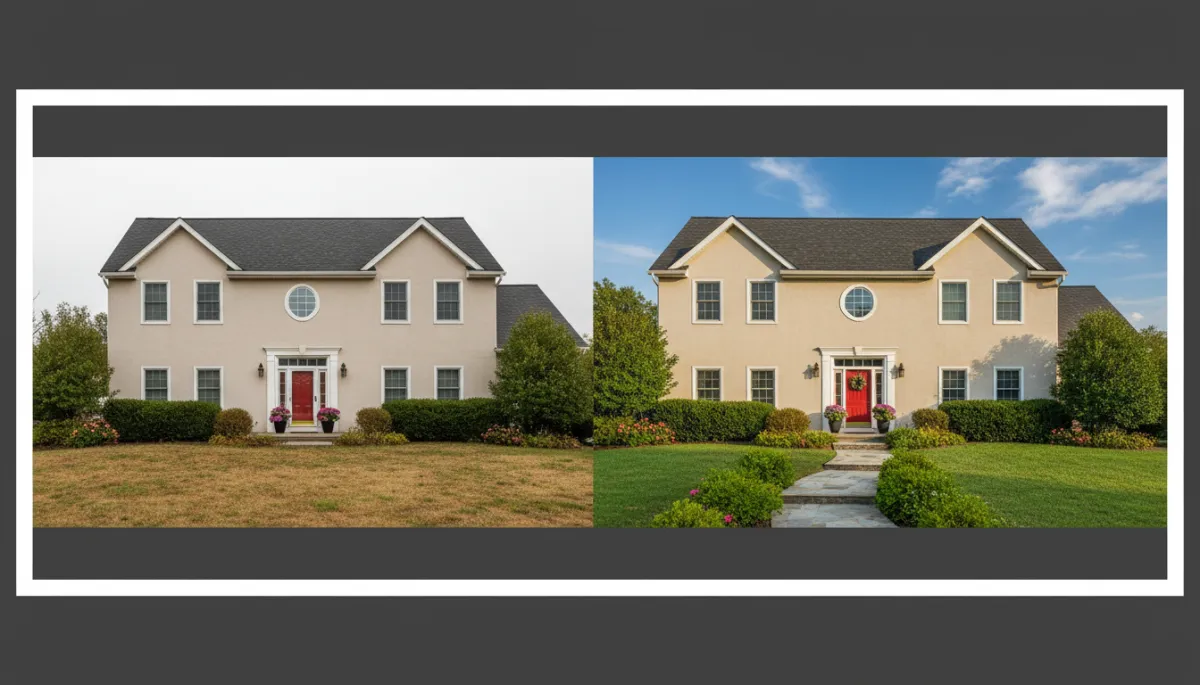
Real estate ads
Turn dull property photos into bright, high-converting listing images.
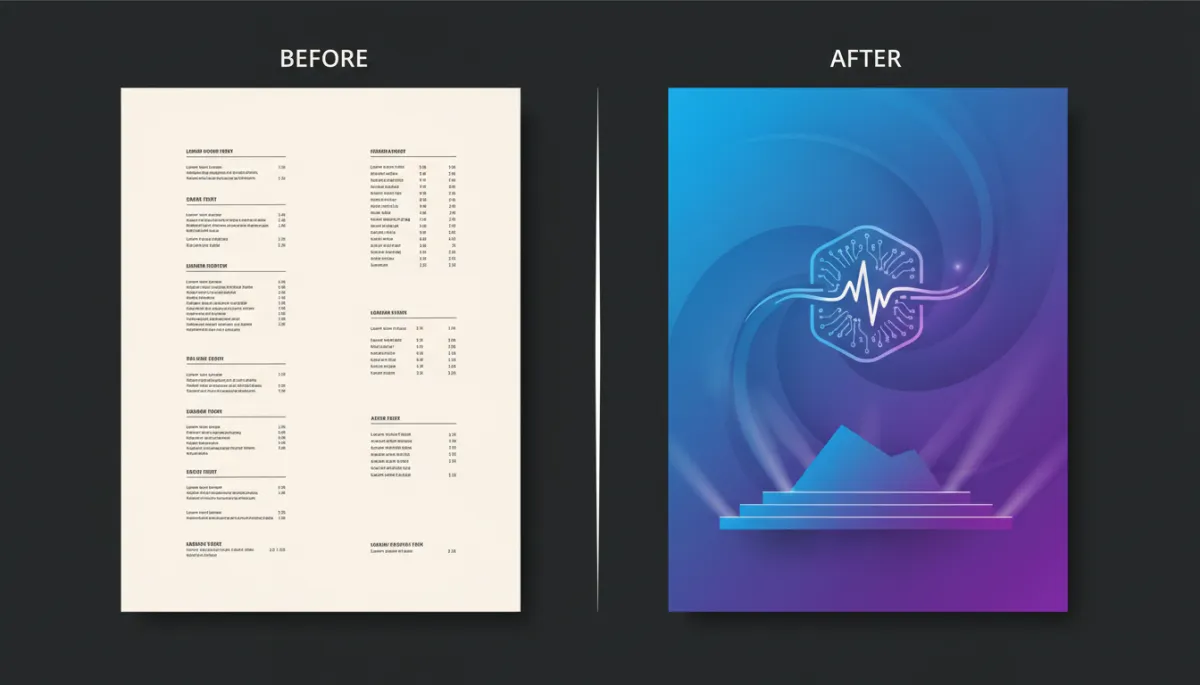
Posters & flyers
Create sharp event posters and promo flyers from a few lines of text.
Social media graphics
Design on-brand posts and stories that actually get clicks.
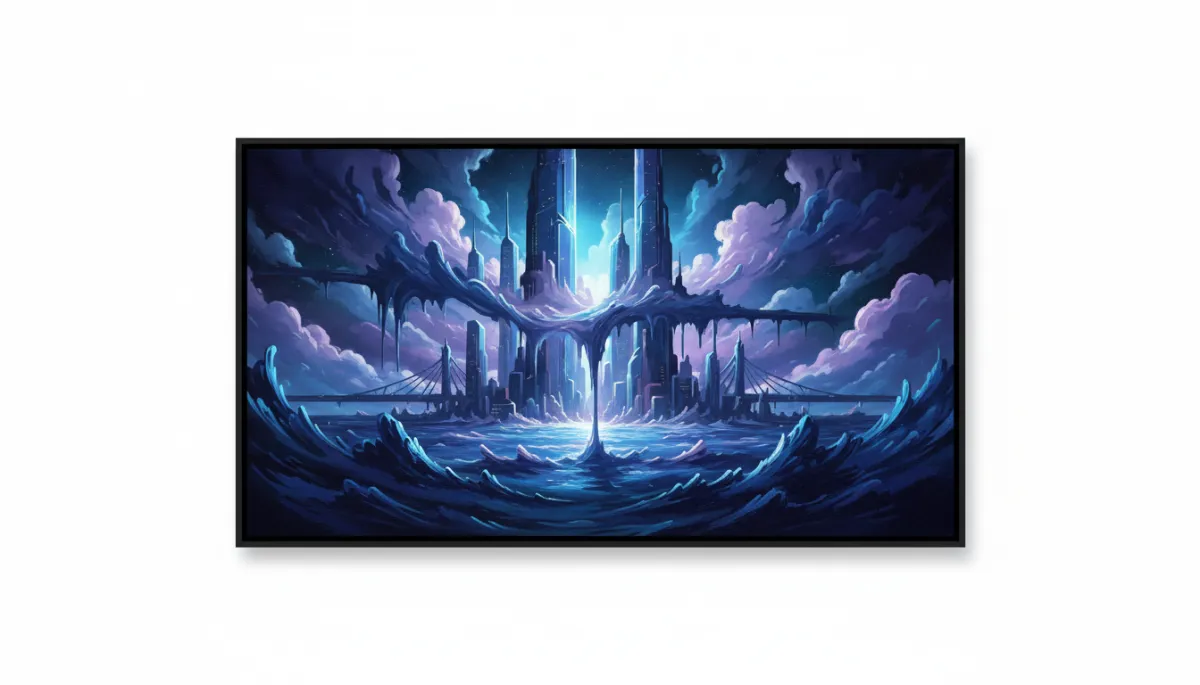
Artistic images
Experiment with styles, moods, and compositions without needing to draw.
Learn AI Step-by-Step
Bite-Sized Lessons for Busy Creators
Every tutorial is written in plain language, with screenshots and copy-paste prompts you can try right away.
Beginner Guides
Start from zero. Learn the basics of AI images, interfaces, and key terms in under 30 minutes.
Prompt Writing Tips
Learn exactly what to type to get sharp, clean, and consistent results across tools.
Editing & Enhancing
Polish your images with upscaling, background cleanup, and smart color tweaks.
Ads & Marketing Visuals
Follow proven layouts and templates to create ads that look agency-made.
Why AI Imaging Lab?
You don’t need a design degree or tech background. You just need clear instructions, good examples, and a place to ask questions.
- Simple, easy-to-follow teaching with plain language
- Real-world projects for businesses, creators, and freelancers
- Beginner-first pacing with no assumed knowledge
- Constantly updated lessons as tools improve
Launch bonus: Join now and lock in 30% off your first month, plus a free prompt pack for ads and social posts.
Designed for real people, not just techies
Most AI tutorials assume you already know the tools. AI Imaging Lab starts from the basics, shows every click, and focuses on results you can actually use in your business or creative work.
Start Creating with AI Today
Join AI Imaging Lab free to get weekly tips, beginner-friendly tutorials, and real project breakdowns delivered to your inbox.
Bonus for subscribers: Get a free "10 Plug-and-Play Prompts" PDF for ads, social posts, and product shots.
No spam. Unsubscribe anytime with one click.
Perfect for:
- Beginners curious about AI image creation
- Photographers expanding into AI visuals
- Small business owners creating their own marketing
- Content creators, marketers, and freelancers
Latest Tutorials & Resources
Stay up to date with new AI tools, prompt formulas, and step-by-step walkthroughs.
The Zero-to-Image Beginner Path
A simple 5-lesson path that takes you from your first prompt to your first finished project.
Prompt Formulas That Never Fail
Steal our favorite plug-and-play prompt structures for ads, thumbnails, and more.
Tool Stack for 2026 Creators
Our recommended AI tools, with free and paid options for every budget and skill level.
AI Imaging Lab
Simple, friendly AI image education for creators, small businesses, and anyone curious about what’s possible.
© 2026 AI Imaging Lab. All rights reserved.